Background

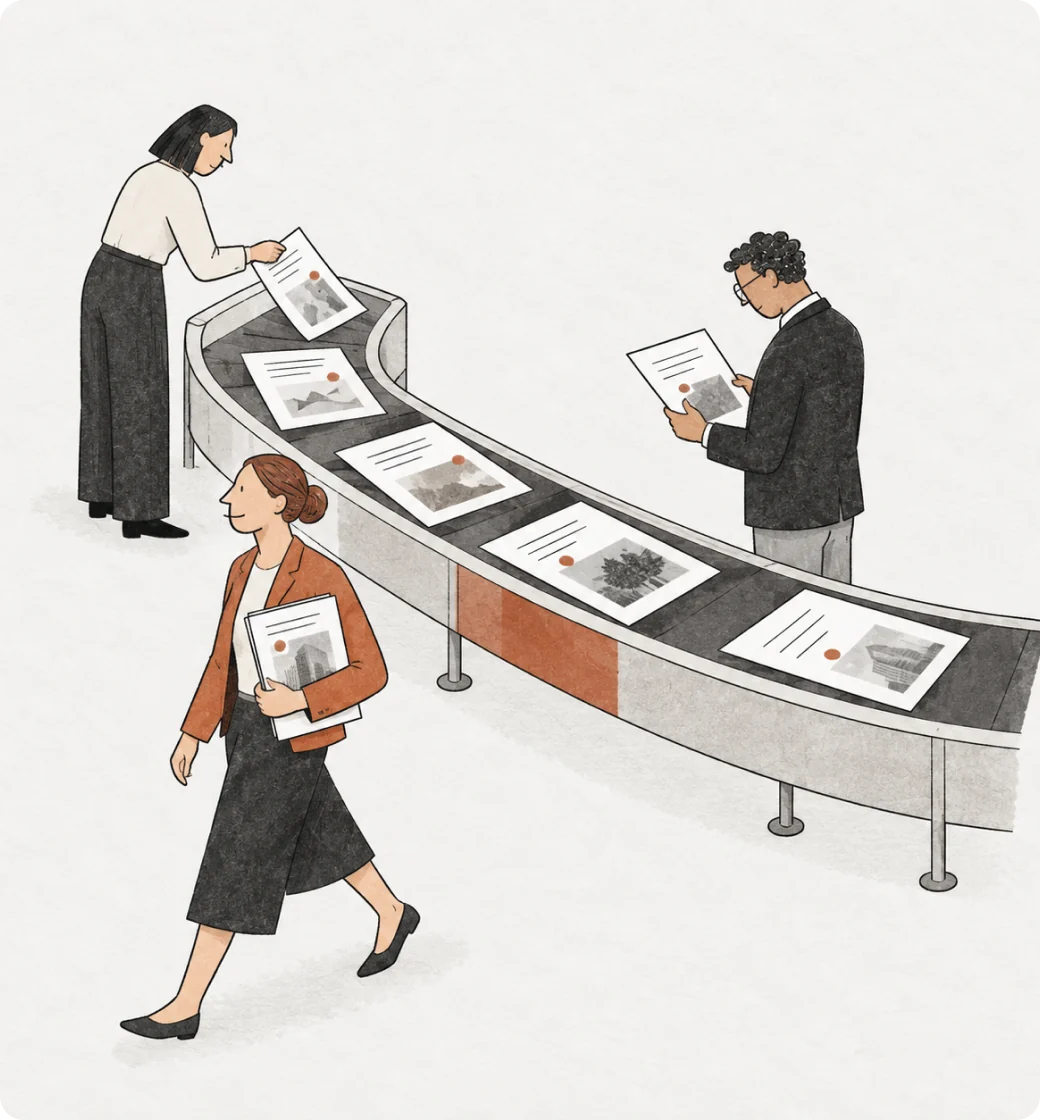
Stake’s lifecycle emails generate $35M+ in monthly revenue, but the CRM team had more than 260 inconsistent templates.
Over four weeks, I built six templates in Optimove and worked with CRM, operations and digital design on a better way to plan requests and reuse artwork.
Build time fell by 66% and production errors by 80%.
Problem framing
The library had grown one campaign at a time. Different layouts and image sizes meant manual HTML edits, new asset requests and slower launches.
I needed to give CRM managers a shared structure they could reuse across campaigns, while keeping enough flexibility for each message.
Role
Scope
Focus
Team
Timeline
Year

Approach
I worked with CRM, operations and digital design to understand campaign needs, then reviewed the templates by country and campaign type.
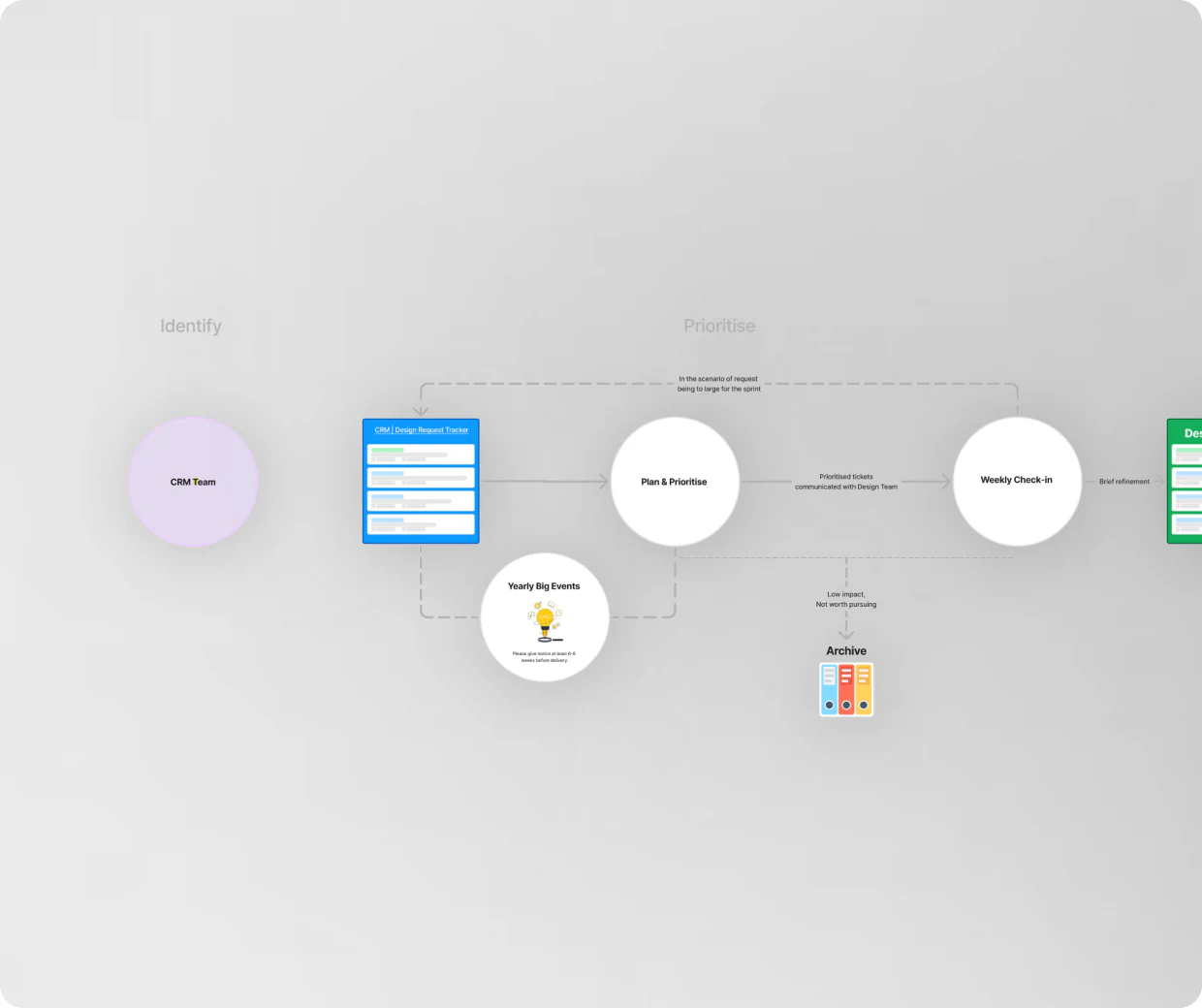
We agreed that requests needed to arrive at least 48 hours in advance and introduced weekly planning, giving the design team time to prepare.
01
Reduce template sprawl
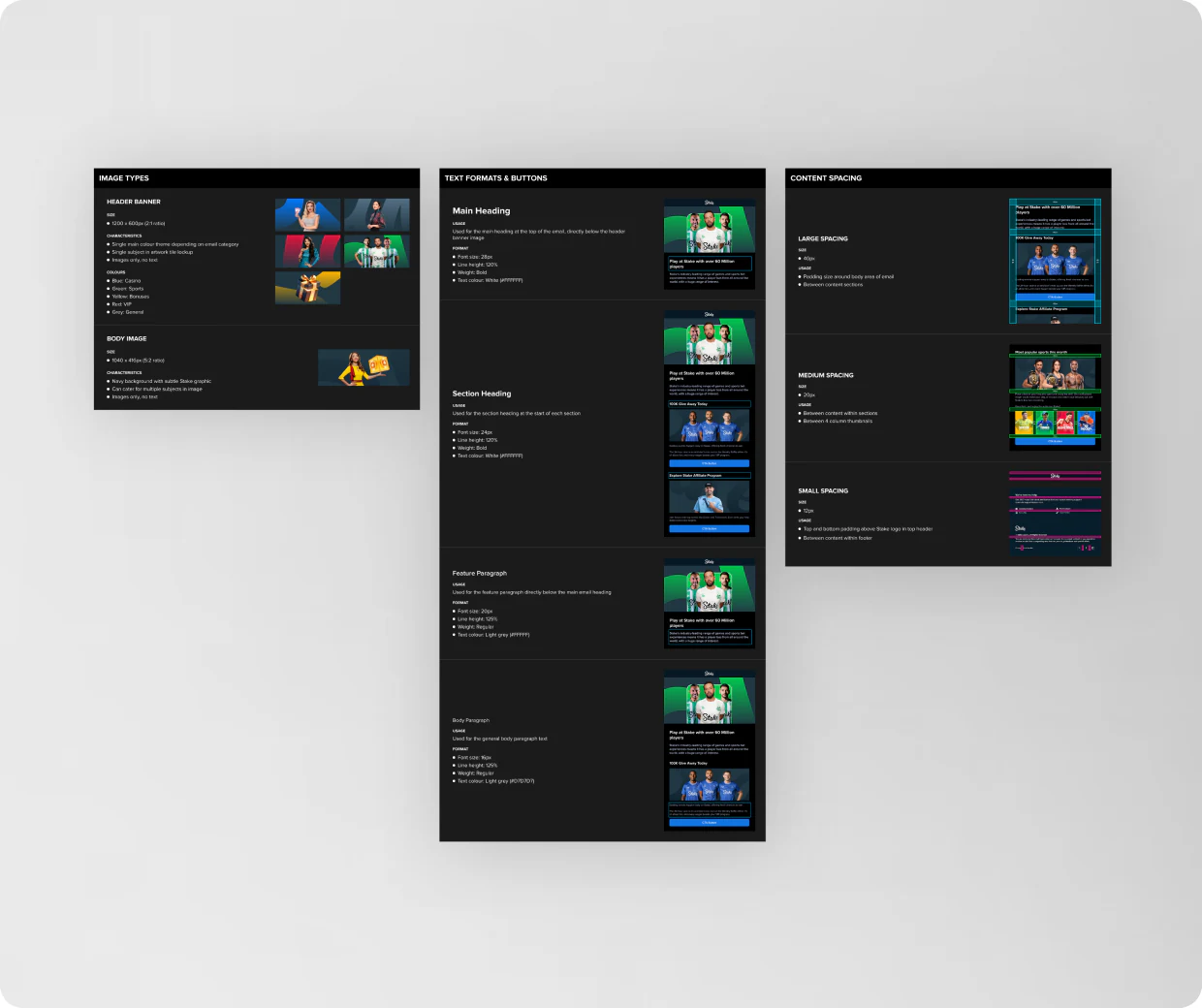
I consolidated more than 260 templates into six reusable structures. This gave the CRM team a smaller library to maintain, rather than a growing set of variations for individual campaigns.

02
Build with reusable parts
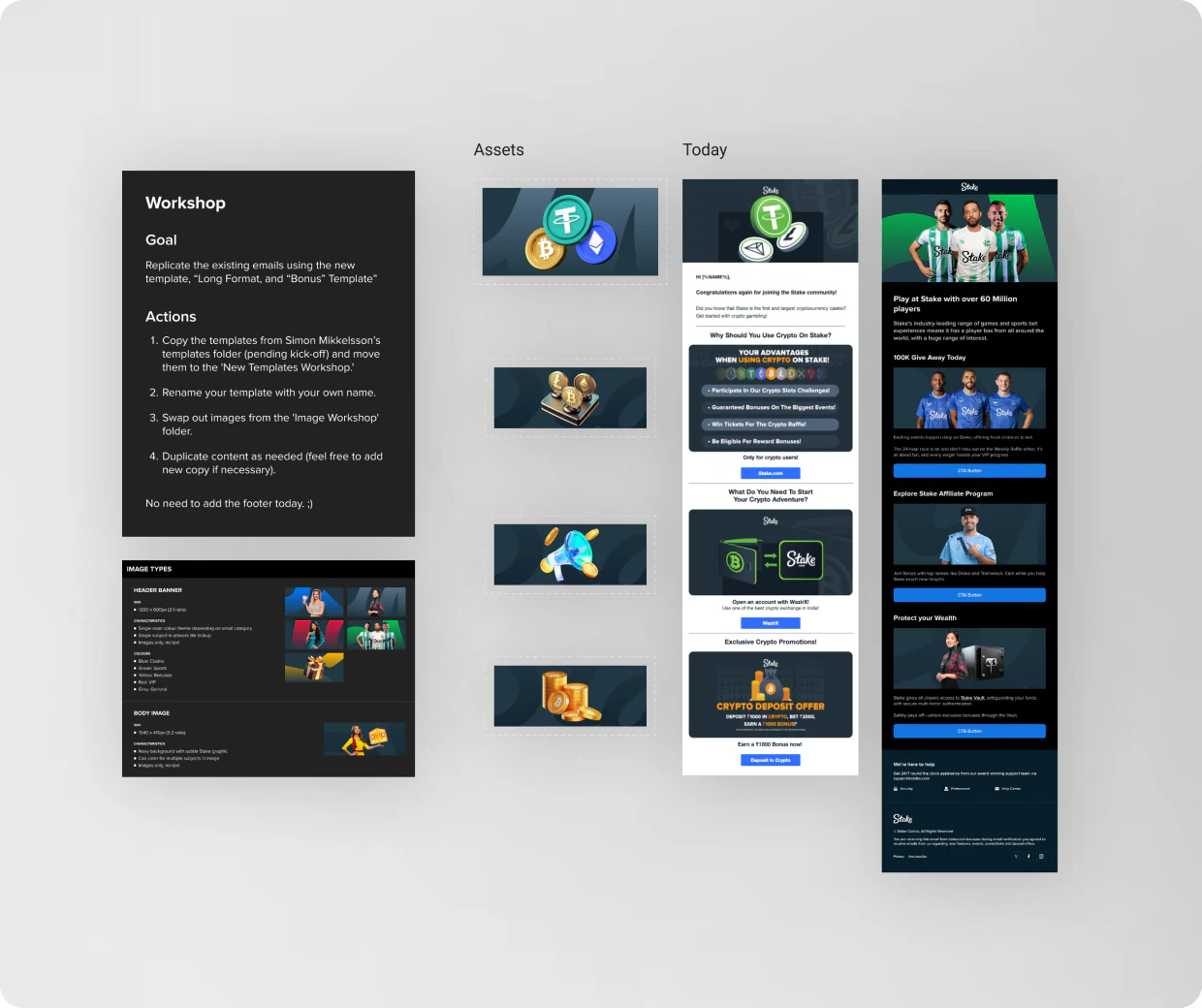
I gave the templates consistent layouts and image sizes so the team could reuse artwork across campaigns and countries. We also organised the assets into folders, making them easier for CRM to find without asking for a new design.
03
Remove manual HTML work
I learned Optimove’s visual builder and created the templates myself. I then trained around 25 CRM colleagues to duplicate campaigns, update copy and images, and find reusable assets without editing HTML.
Design principles
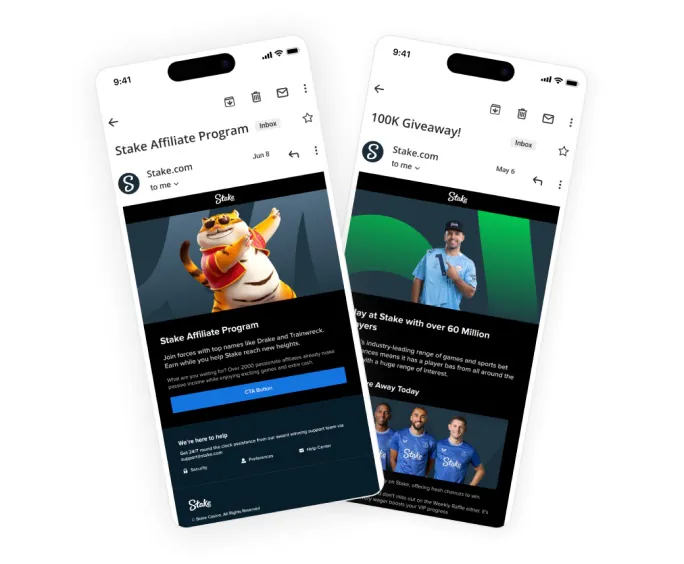
I used three principles to keep the templates clear for customers and practical for the CRM team.



Principle 1
Make the message clear
I gave each email one clear message.
Reusable sections helped the CRM team build around it, keeping production simple without redesigning the layout for every campaign.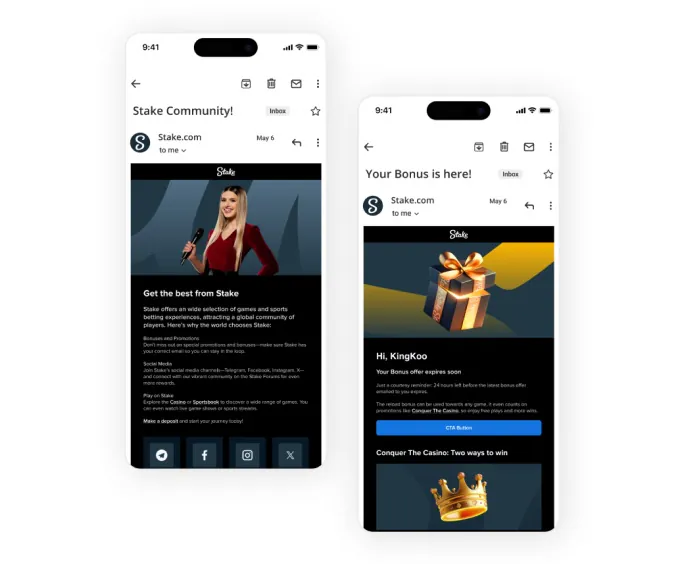
Principle 2
Build recognition
I used consistent layouts and stronger visual branding so emails were recognisable as Stake.
Shared structure gave campaigns a familiar look and a clear reading order.I used consistent layouts and stronger visual branding to make the emails recognisable as Stake.
The shared structure gave different campaigns a familiar look and a clear reading order.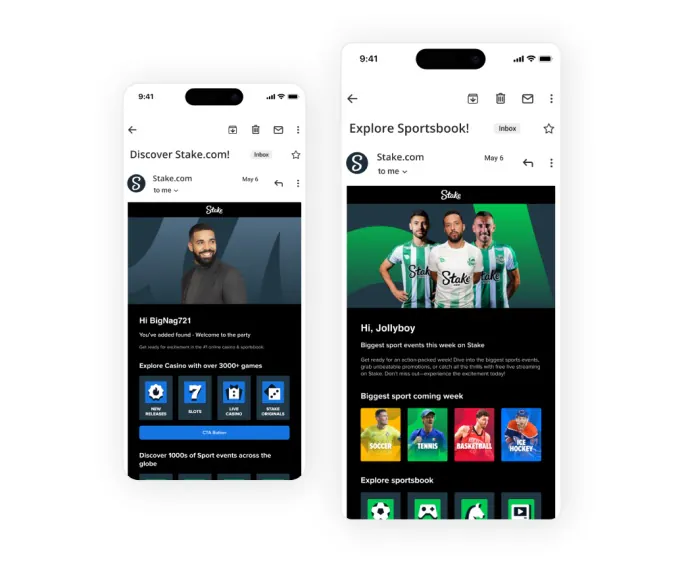
Principle 3
Keep the system flexible
I designed modules that could support different campaign types within a consistent structure.
CRM managers could adapt the content while keeping the layout and visual design intact.



I would say that the way you have handled yourself in this task and others is professional and succinct. In a business that moves quickly, your ability to read the room and show great signs of emotional intelligence means that us as CRM’s want to work with you, and complete anything you may need from us. It is refreshing.I truly do enjoy working with you, and I can say that Julien (Head of CRM) and other senior leaders in my team feel the same way.
Closing thoughts

Simon MikkelssonSenior Product Designer
The templates helped CRM build campaigns without relying on HTML or requesting new artwork every time. Training the team and planning requests earlier were just as important as the templates themselves.
Campaign build time fell by 66% and production errors by 80%. Six shared templates replaced a library of more than 260.
- Reduction in campaign build time
- 66%
- Fewer production errors when building campaigns
- 80%
- Reusable templates, down from 260+
- 6
Got a complex problem? Let’s work through it together.
Whether it’s a role or a project, I’d like to hear what you’re working on and see whether we’re a good fit.