Background

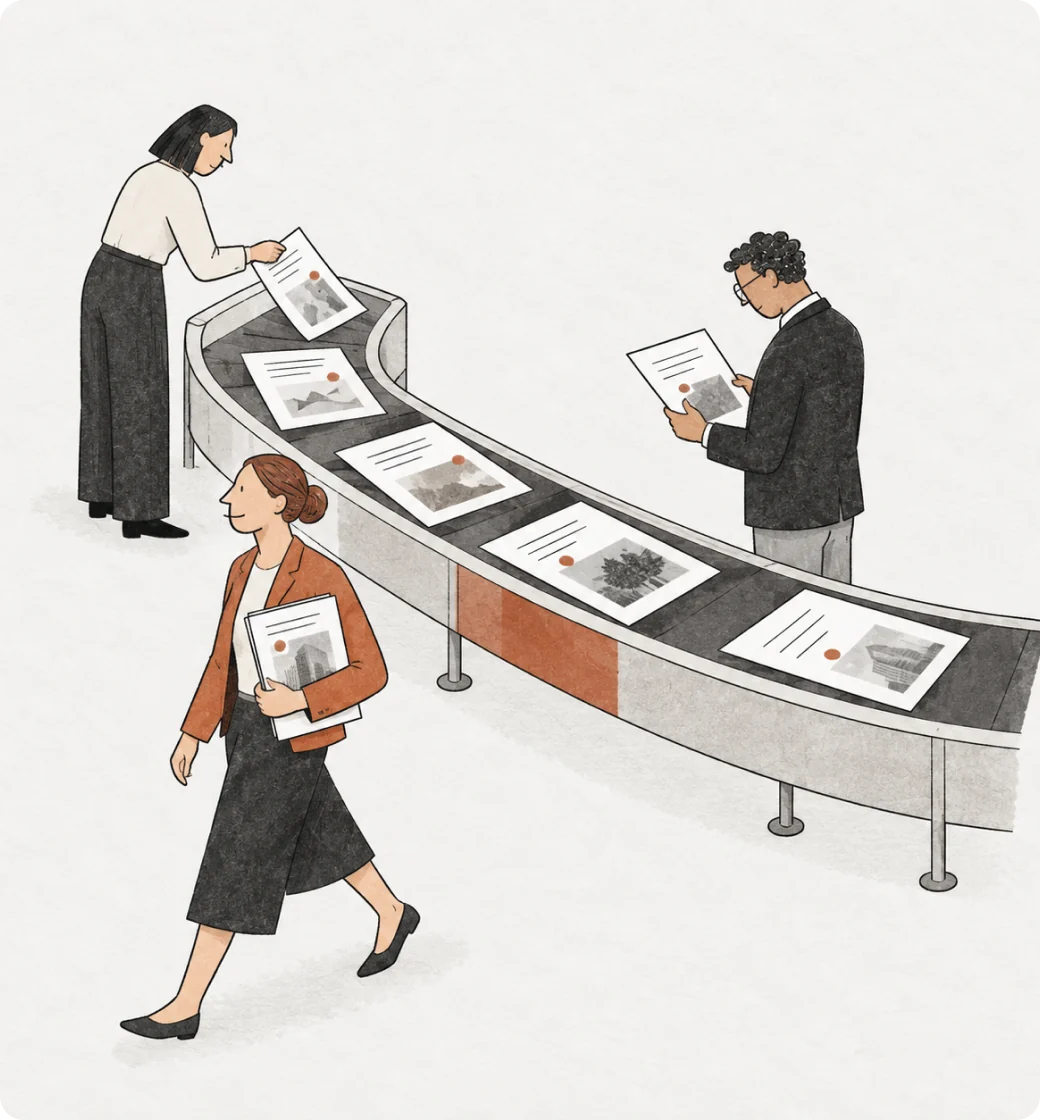
Kimia helps chemical suppliers and distributors manage product information.
As the sole designer, I focused on helping customers adopt the tools and helping a small team ship faster. I redesigned onboarding and admin tools, then built a component library with shared styles and worked with an engineer to update Storybook.
Problem framing
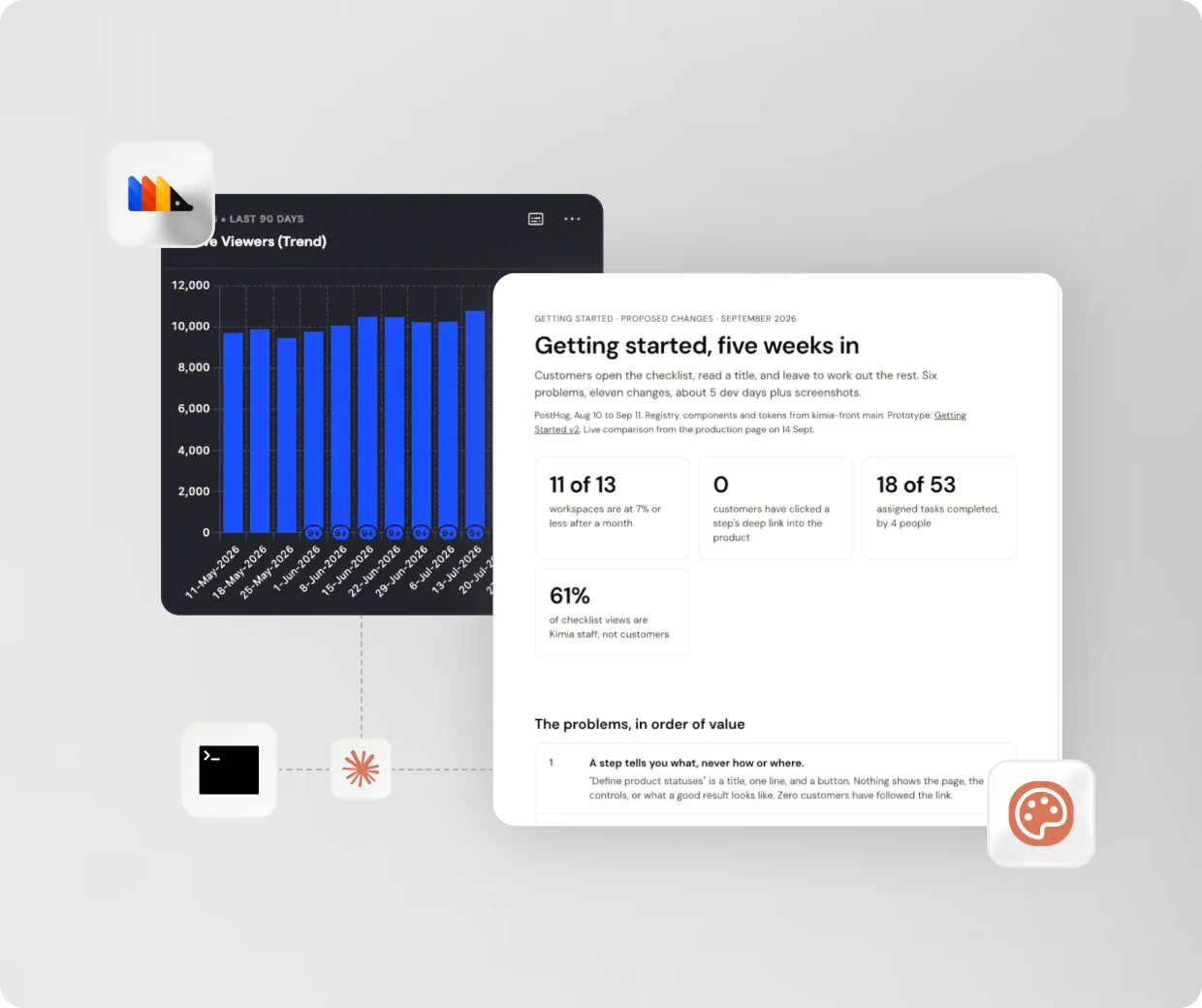
People weren’t getting through Kimia’s Get Started flow. Before the redesign, 11 of 13 workspaces had completed 7% or less, and customers hadn’t clicked the checklist links.
For a startup, adoption matters beyond onboarding. We believed customers who built Kimia into their daily work would be more likely to stay. I focused on helping them find useful tools and experience their value.
Role
Scope
Team
Timeline
Year

Approach
The head of product gave me the brief: improve onboarding in one week without adding backend work. I worked directly with a senior engineer to design and deliver the new experience.
Within two days, I shared a concept made in Claude Design so he could start building while I finished the UI. We worked in parallel and had the new flow built and tested within a week.
01
Review product usage
I used PostHog to review tool usage and where customers stopped during onboarding. This helped me prioritise the redesign around observed behaviour and the guidance people needed.


02
Design around people’s roles
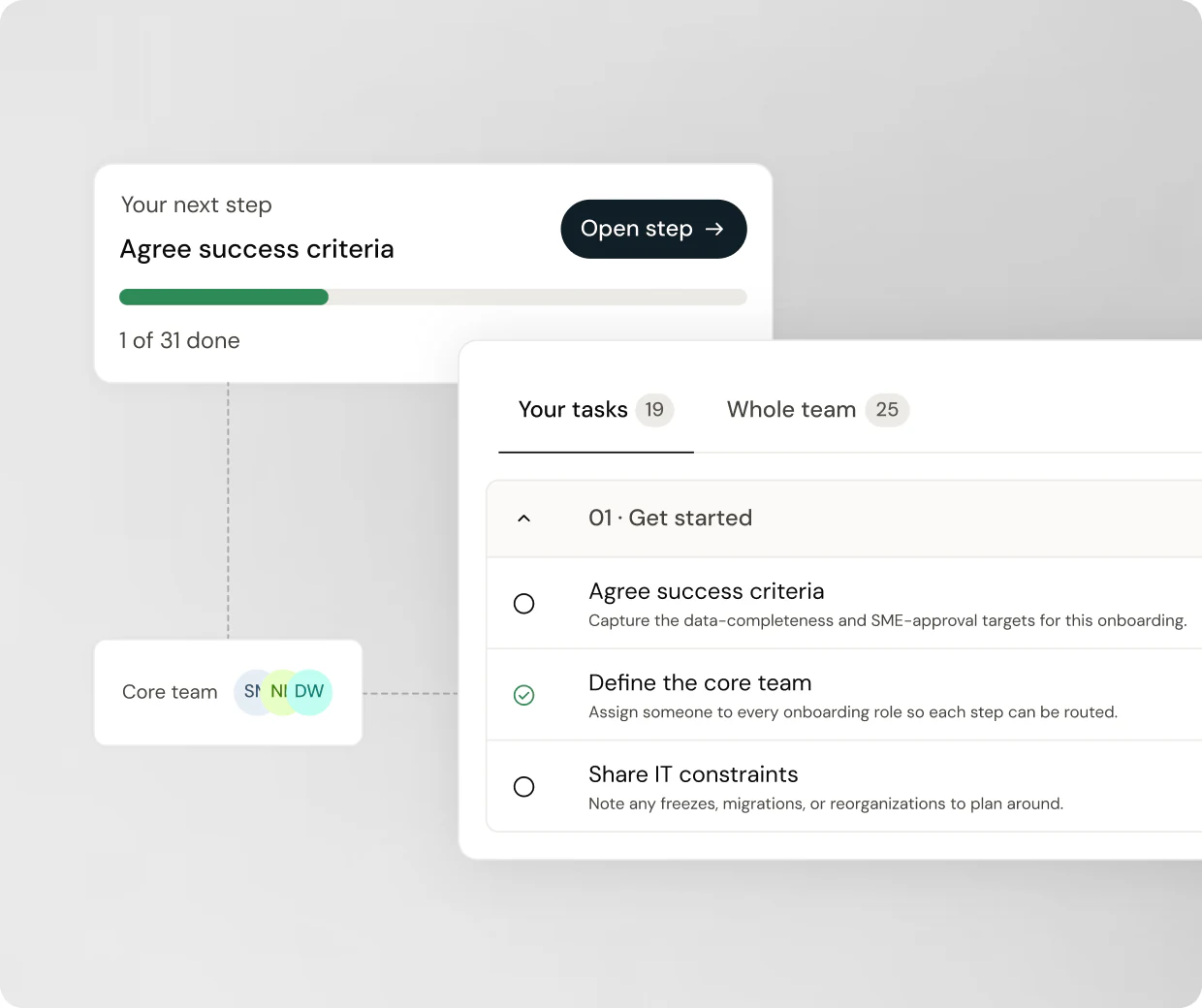
The existing checklist wasn’t being used, so I chose tasks tailored to people’s roles. Each task introduces a tool through work the customer needs to do, giving them a reason to explore Kimia’s capabilities.

03
Create reusable components
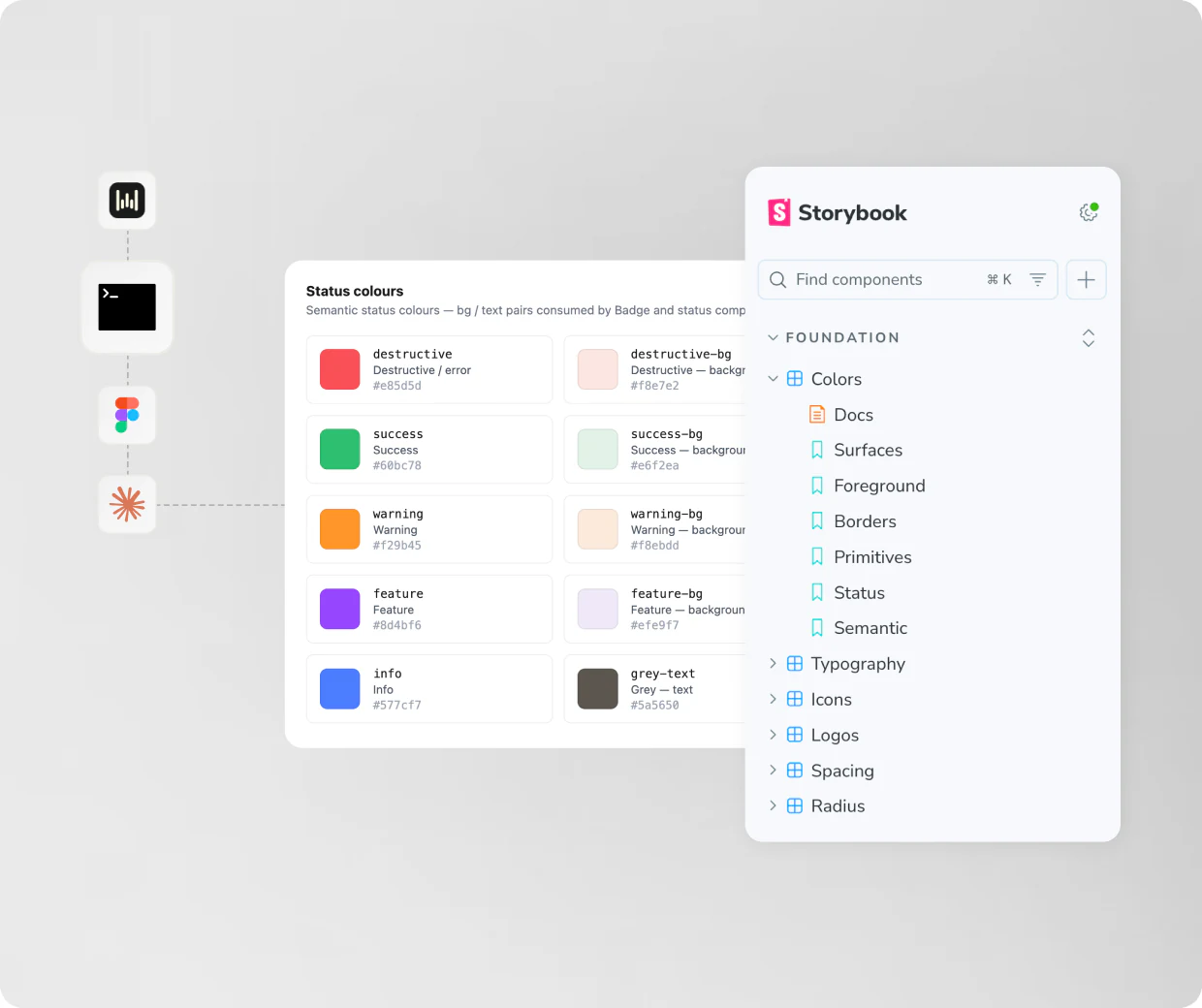
I spent three weeks building a library of components, colours, fonts, spacing and corner styles. I worked with an engineer to bring it into Storybook and the frontend, so we could reuse the work rather than design and build each screen from scratch. The whole team of six engineers used the components and Storybook.


Solution
I designed onboarding as a set of tasks customers could work through with their team. Each task explains the next step, while the admin view lets Kimia choose which sections a customer sees.
The two views work together: customers get relevant guidance, and the team can adapt it without creating a separate flow each time.

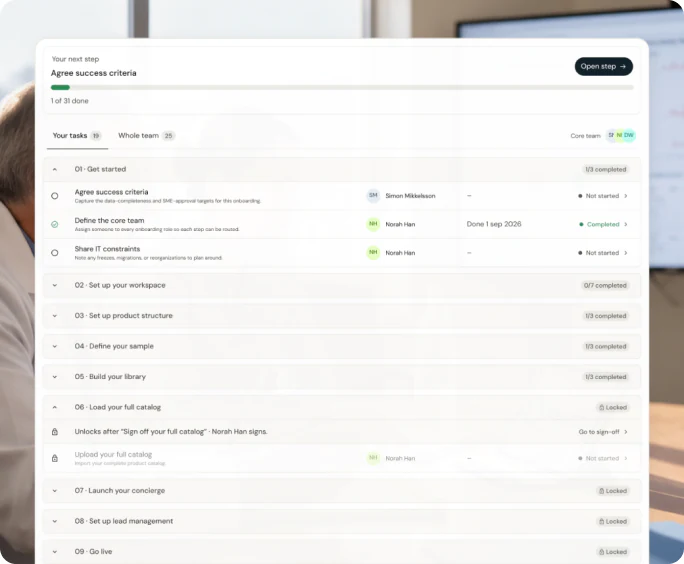
01
Show the next step
I made each onboarding task show the next step, who owns it and whether it’s complete. This gives teams a clear way to work through setup and see what still needs doing.
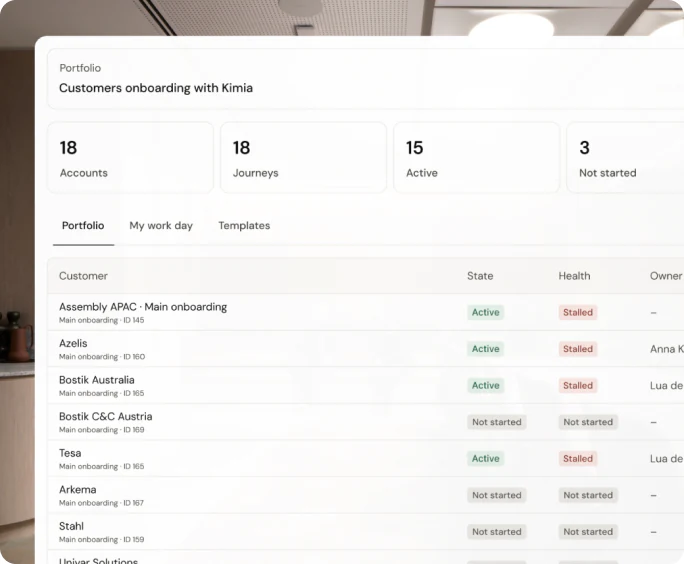
02
Adapt onboarding for each customer
I designed an admin view where the team can choose onboarding sections for each customer’s role and needs. This lets them adapt the guidance without rebuilding the onboarding flow for every customer.


Closing thoughts

Simon MikkelssonSenior Product Designer
Working alongside the engineer meant we could test the idea while I finished the design. That helped us deliver the new onboarding in a week, without adding to the backend.
After the announcement email, completed tasks rose from 18 to 24 and participants from four to twelve. It was too early to tell whether people would keep using the tools or stay longer.
- Tasks completed out of 53 assigned across the workspaces
- 18 → 24
- Increase in people completing tasks, from 4 to 12
- 200%
- Engineers building with the shared components and Storybook
- 6
Got a complex problem? Let’s work through it together.
Whether it’s a role or a project, I’d like to hear what you’re working on and see whether we’re a good fit.